Influencer Contract Template Apps: Three Routes Compared
Static template, template app or an agreement signed inside the deal: pick one route, check the five clauses every contract needs, and send it today.
 Written by Jack Evans7 min read

An influencer contract template only helps if you actually send it, so pick one of three routes: a static template you fill in, a template app that sends it for signature, or an agreement signed inside the tool where you manage the deal. Whichever you pick, five clauses must appear: deliverables, payment, licence, exclusivity and cancellation.
On this page
An influencer contract template only helps if you actually send it, so pick one of three routes: a static template you fill in, a template app that sends it for signature, or an agreement signed inside the tool where you manage the deal. Whichever you pick, five clauses must appear: deliverables, payment, licence, exclusivity and cancellation.
That is the whole choice. You have landed a few paid deals in 2026, and each time the paperwork is the bit you put off: you copy clauses from a random PDF you found once, change the names, and hope nobody reads the small print. Contracts are not scary because they are legal. They are scary because you are editing a document you do not understand while a brand waits on you. So this guide takes the choosing off the table: three routes, how to pick between them, and the five clauses that must appear whichever route you take.
Why do you need an influencer contract template at all?
A brand deal now lives across an email, a DM thread and a voice note. When the video runs late, the brand wants a fourth revision, or the invoice sits unpaid, memory is your evidence, and memory loses. So one written document settles what you deliver, what you are paid, how long they can use the video, and what happens if either side walks away.
And the paperwork is not a formality brands skip either. Aspire's survey of marketers and creators, reported by Influencer Marketing Hub, found that 77% of brands repurpose creator content in paid advertising and 67% put usage rights into the creator's first contract or rate. That means the second half of your money on that deal is decided inside the document, so the document has to exist before you film. If you are unsure whether a small deal needs a written agreement at all, do you need a creator contract gives the short answer.
What are the three ways to produce a contract?
So every route produces the same thing: a document both sides sign. They differ in who does the typing, where the signed copy ends up, and what each deal costs you in time.
-
A static template. A downloaded file, usually free or a one-off purchase, that you fill in by hand in a word processor. You retype the client name, dates and fee for every deal, export a PDF, attach it to an email, and take whatever signature comes back: a reply, a scribble on a printed copy, sometimes nothing. It costs nothing and works for one deal a year. But it stops working the moment you send three in a month, because the copy you signed in March and the copy you sent in April become two files with the same name.
-
A template app. Software built around one job: generate a document from blanks and get it signed. Names you will come across include PandaDoc, DocuSign, Jotform, HoneyBook and Dubsado. You build the document once, merge in the deal details, send a signature link, and the signed copy files itself. Most charge a subscription and prices move often, so none are quoted here. However, the trade-off is not money. It is that the agreement lives in the app while the brief, the dates and the drafts live wherever you kept them before.
-
An agreement inside the deal tool. The contract is part of managing the deal rather than a document sitting beside it: the brief comes in, the terms get written, the client signs from one private link, and the invoice is raised from the same numbers. The Creator List works this way. It is early beta software, so judge it on the deal you have in front of you rather than on a feature list. If it carries this contract and this invoice, it has earned the next one. It comes with a 14-day free trial, then a monthly plan (pricing).
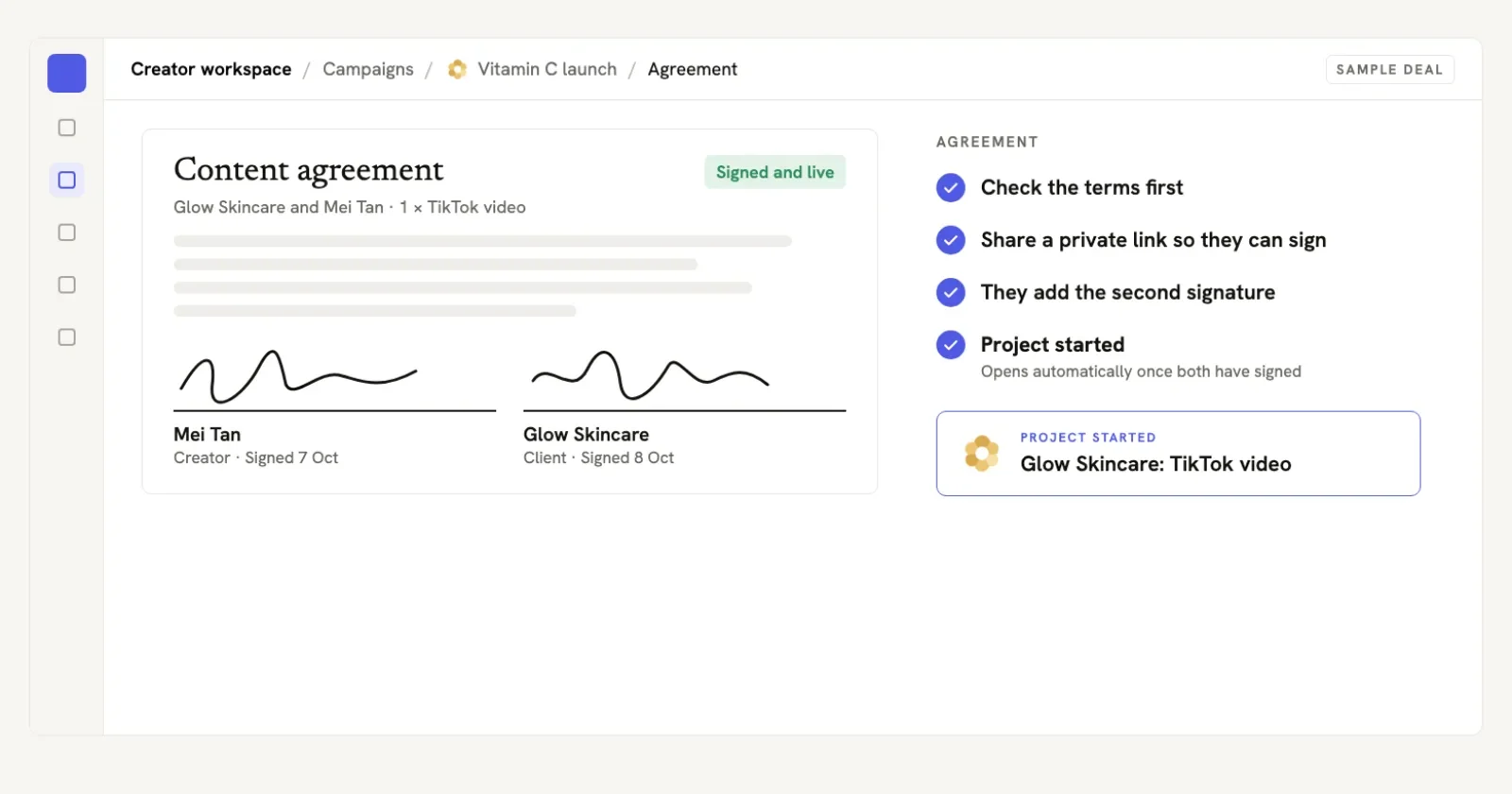
In The Creator List: an agreement signed by both sides from a private link, with the project opening automatically once the second signature is in.
Side by side:
| Route | Send it when | Typical cost | Where the signed copy lives |
|---|---|---|---|
| Static template | One or two contracts a year | Free, or a one-off payment | Your downloads folder, renamed by hand |
| Template app | A contract most months | A subscription; prices move, so none are quoted here | Inside the app, away from the brief and the dates |
| Agreement inside the deal tool | The brief, dates and invoice already sit together | 14-day free trial, then a monthly plan | Beside the deal it belongs to |
Bottom line: match the route to how many contracts you actually send, not to which option sounds most professional.
Which five clauses must appear whichever route you pick?
The route is packaging. The contract is these five things, so a route that makes any of them hard to find is the wrong route for you.
-
Deliverables and revision rounds. What, how many, which platform, which dates. Then the cap: two revision rounds included, extra rounds billed. "Create content for our brand" is not a deliverable, and an uncapped revision clause is free work with a signature on it.
-
Fee, currency and payment date. The number, the currency it will actually arrive in, when you invoice (sign-off is the cleanest trigger) and when payment is due. That means a fee with no due date is a suggestion, and the brand's finance team will treat it as one.
-
Licence with an end date. Platforms, window, exact end date, and whether paid ads and whitelisting are included at what price. Add your own right to show the finished work in your portfolio. The usage rights guide has the pricing lines, and the brand deal contract template has the clause wording in full.
-
Exclusivity with dates and a price. If the brand wants you off competing categories for 60 days, name the categories, name the dates and put a number on it. Undated exclusivity never expires, and unpaid exclusivity is a second job you did not agree to.
-
Cancellation and disclosure. What you are paid if the brand pulls out after filming (half the agreed fee is a plain starting point for a kill fee), who keeps work already delivered, and the paid-partnership disclosure both sides must carry in the post.
This list is the check you make before sending, not a substitute for reading. For what each clause says in full, and the wording to paste, the brand deal contract template guide walks through them one by one. So this article is the decision that comes before it.
How do you get a contract signed in one sitting?
Five steps. Start with the deal sitting in your inbox right now.
-
Pick the route by volume, not ambition. One or two contracts a year: the static template. One most months: a template app. If the brief, dates and invoice already live in one place, put the agreement there too. How often you send contracts decides this, not how seriously you take yourself.
-
Fill the five clauses before you touch the layout. Deliverables, payment, licence, exclusivity and cancellation go in while the email thread is still open in the next tab. Otherwise you will format first, which is how half-finished contracts get sent.
-
Copy the deal details from the thread, not your head. Brand legal name, contact name, dates, fee and currency exactly as they were agreed in writing. If a detail only exists in a call, put it in writing first: "confirming US$900 for two videos, draft due 14 March, posting 21 March". Then paste that sentence into the contract.
-
Send one signature link, then chase once at 48 hours. A link beats an attachment because there is one copy and one status. Electronic signatures hold up in law, which the FAQ below sets out. Then send this:
Hey Sam,

The agreement is with you: two videos, US$900, draft due 14 March,
posting 21 March, 90 days of paid usage from your handle.

Sign whenever suits you and filming starts that day.

[signature link]
- File the signed copy with the deal, not in your downloads folder. Beside the brief, the dates and the invoice. When the brand asks what the usage window was, the answer takes ten seconds, and the invoice matches the contract because both read from the same record. The Creator List keeps the signed agreement with the deal it belongs to; a spreadsheet row with the file attached does the same job if you keep one (deal tracking guide).

More brand deals, paid what they're worth.
Pitch in your own words, sign before you film, stop doing extras free.
First deal not invoiced in 30 days? The founders sit with you until it is.
Try it free on your next deal14-day free trial · Cancel any time · We never take a commission
When should you move off the static template?
Four signals, so the first three point the same way:
- You have filled in the same blanks three times in a month.
- A brand asked to sign on a phone and the PDF came back unreadable.
- You cannot find which version was signed.
- The dates inside your contracts now drive invoices and reminders you are tracking somewhere else.
The first three say a template app is cheaper than your time, while the fourth says the agreement belongs inside the deal, because those dates are already doing work in two places at once. So until one of these is true, a static template with the five clauses is a complete answer, and a contract you send today beats a cleverer one you finish next month. Once the agreement is signed, the invoice is the next job, and the best invoicing apps for content creators compares the tools that raise it.
Common questions
A contract both sides sign is legally binding when they intend to agree and the record can be kept and reproduced later. In the United States the ESIGN Act has given electronic signatures legal effect since 2000, so a click-to-sign document counts. In the EU, eIDAS says an electronic signature cannot be denied legal effect just because it is electronic. What weakens a contract is missing terms, not the file type.
Not for a standard paid deal. A template with the five clauses (deliverables, payment, licence, exclusivity and cancellation), filled in properly by you, is enough to start. Pay for a lawyer's review when the fee is large, exclusivity runs long, or the brand asks for perpetual rights to your footage. One hour of legal review is cheaper than one argument about an uncapped usage window.
A contract template app is software that turns fill-in blanks into a finished document, sends it for electronic signature and stores the signed copy. It is built for sending contracts often: build the document once, drop in each deal's details, send one link. It differs from a static file you edit by hand, and from an agreement living inside the tool where you manage the deal, because the document is the product while the deal sits elsewhere.
Read the brand's contract against the five clauses and reply with edits in writing before signing. Most brands will negotiate the lines that matter: a usage window with an end date, a payment date, a revision cap. Send edits as numbered changes such as "add: usage limited to 90 days from posting" so each line can be accepted without a call. A contract you edited slightly beats a template you never sent.
More brand deals, paid what they're worth.
Pitch in your own words, sign before you film, stop doing extras free.
First deal not invoiced in 30 days? The founders sit with you until it is.
Try it free on your next deal14-day free trial · Cancel any time · We never take a commission
Read next
 Brand Deal Contract Template for Creators (2026 Guide)A plain language brand deal contract template with six clauses that protect won deals, plus how to fill each field before work starts.
 UGC Creator Contract Template: What to Put in Yours as a BrandThe seven clauses a brand puts in a UGC creator agreement, plus a six-step way to write and sign it without a lawyer.
 Do You Need a Creator Contract? The Short AnswerThe decision rule for when a creator contract is needed, the six lines worth having even on a small deal, and the copyable message that asks for them.
 Turning Brand Deals Into Retainers: Creator Guide 2026A creator guide to converting won deals into monthly retainers with packaging, pricing, renewal terms and a word for word ask script.