Notion Brand Deal Tracker: Template Review and What It Misses
An honest review of the Notion brand deal tracker setup: what the template gets right, the four places it leaks money, and how to move your deals across in one afternoon.
 Written by Jack Evans7 min read
A Notion brand deal tracker records every deal but reminds you of nothing: payment dates, usage rights expiries and revision limits stay text fields you check yourself. This review shows the template setup at its best, the four places it leaks money, and how to move your deals across in one afternoon without losing a date.
On this page
- Why does a Notion brand deal tracker stop working after the yes?
- What does the Notion brand deal tracker template get right?
- How do you build the Notion tracker the right way?
- When does a Notion tracker cost you money?
- How do you move your deals out of Notion in one afternoon?
- Which tool should manage brand deals from here?
- What are the key takeaways?
A Notion brand deal tracker records every deal but reminds you of nothing: payment dates, usage rights expiries and revision limits stay text fields you check yourself. This review shows the template setup at its best, the four places it leaks money, and how to move your deals across in one afternoon without losing a date.
You built the tracker yourself, which is exactly why it fails quietly. A working creator manages several deals at once: one is waiting on feedback, one went live last week, one invoice is 19 days past due. The tracker holds all three. It just holds them as text, waiting for you to notice.
Why does a Notion brand deal tracker stop working after the yes?
Winning the deal is not where the money leaks. Managing it is. A Business Insider survey found that 87% of creators had been paid late, paid the wrong amount, or not paid at all. Late payment is a date problem before it is a brand problem: the due date exists, and nothing counts down to it.
Terms run long too. Digiday reports influencer payment terms of 30 to 90 days after the work is done, so a single deal can live three months past delivery. That lifespan is the test for any tracker: does it hold the deal from yes to paid, or only to posted?
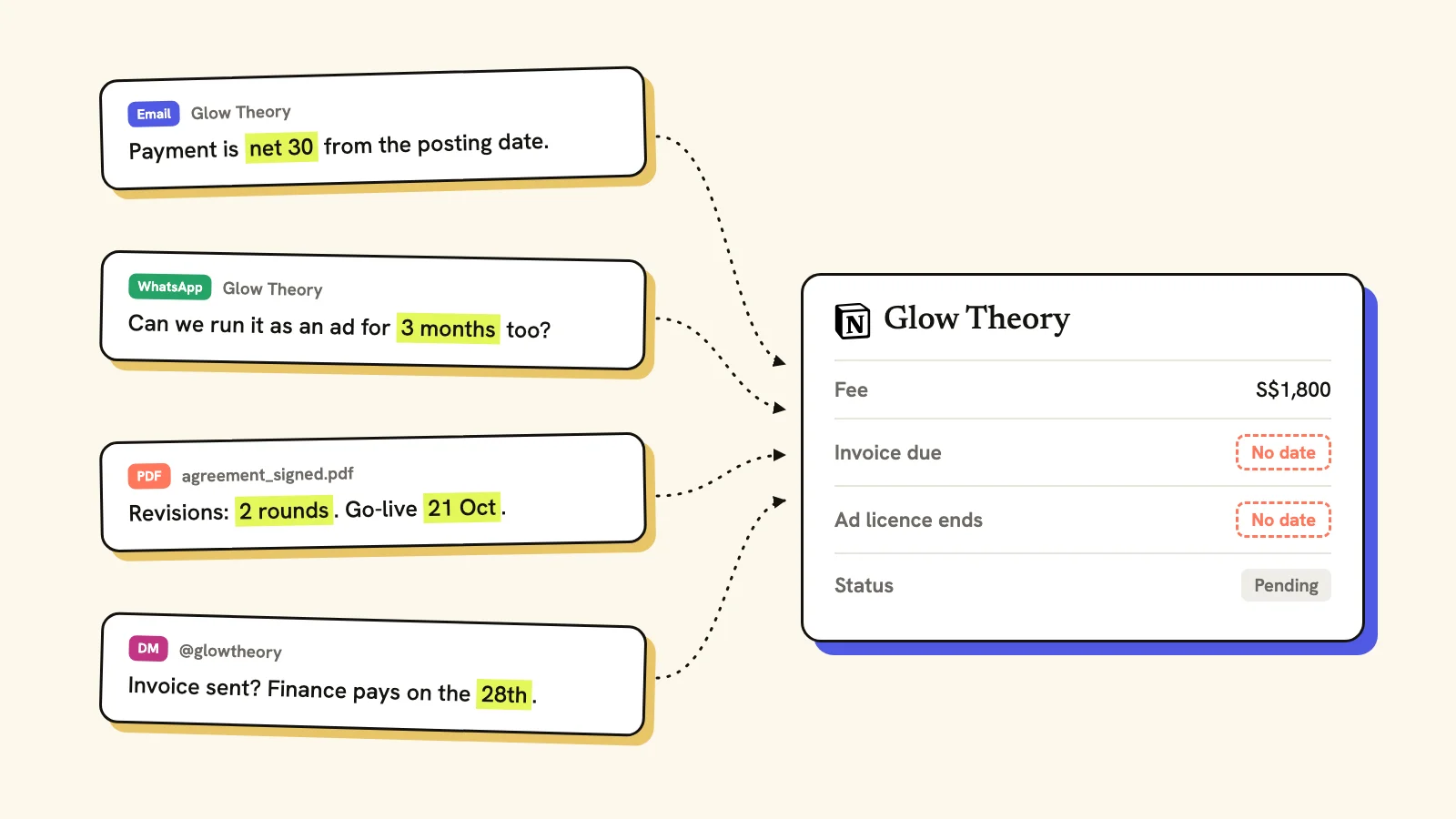
Every date the deal needs exists somewhere. Just not on the row you check.
Notion records everything you type and schedules nothing you owe. That gap is quiet for a month, then expensive on the day an invoice goes past due or a 90-day paid licence quietly ends.
What does the Notion brand deal tracker template get right?
The template is well made, and the praise is real. Three things it does better than a flat sheet:
- Linked databases. One deal row connects to deliverables, contacts and notes, so a single deal shows its whole history in one place.
- Views that answer one question each. Deals by status, deliverables by due date, a content calendar by platform. A spreadsheet shows one grid; Notion shows the view you built for the moment.
- Capture that takes seconds. Paste a brand email into the deal page and it is filed with the deal instead of scrolling away in your inbox.
If your problem is that briefs and ideas have nowhere to live, Notion solves that on day one. The trouble starts on day 30, when the fields you filled in stop being reviewed and start being trusted.
How do you build the Notion tracker the right way?
If you stay in Notion, build it around six columns and resist every extra one:
| Column | What goes in it | Why it exists |
|---|---|---|
| Deal status | Pitched, agreed, delivered, invoiced, paid | One glance shows what is live |
| Brand contact | Name and channel | No hunting through DMs |
| Deliverables | What you owe, with dates | Scope in writing, not memory |
| Payment terms | Fee, invoice date, due date, currency | The date you chase from |
| Usage rights | Organic, paid ads, or whitelisting, with an expiry | A licence without a date never gets renewed |
| Follow-up dates | Approval due, go-live, next check | Stops stalled handoffs |
A worked example holds it together. Two Reels and three Stories at US$1,800 on net-30 terms with 90 days of paid usage: the payment row carries the invoice date and the due date, the rights row carries the day the licence ends, and both sit on the same deal record. If a field cannot be dated, it does not belong in the tracker.
Nobody hands you that table, though. Notion opens on a blank page, so the thinking about what a deal needs (which dates matter, what counts as a revision, when a licence ends) is yours to do before you've logged a single deal. Most creators only find out what they forgot to track on the day it costs them.
The habit matters more than the schema. One row per won deal, updated at every handoff, reviewed for 15 minutes a week. Miss the review twice and you have a database of assumptions.
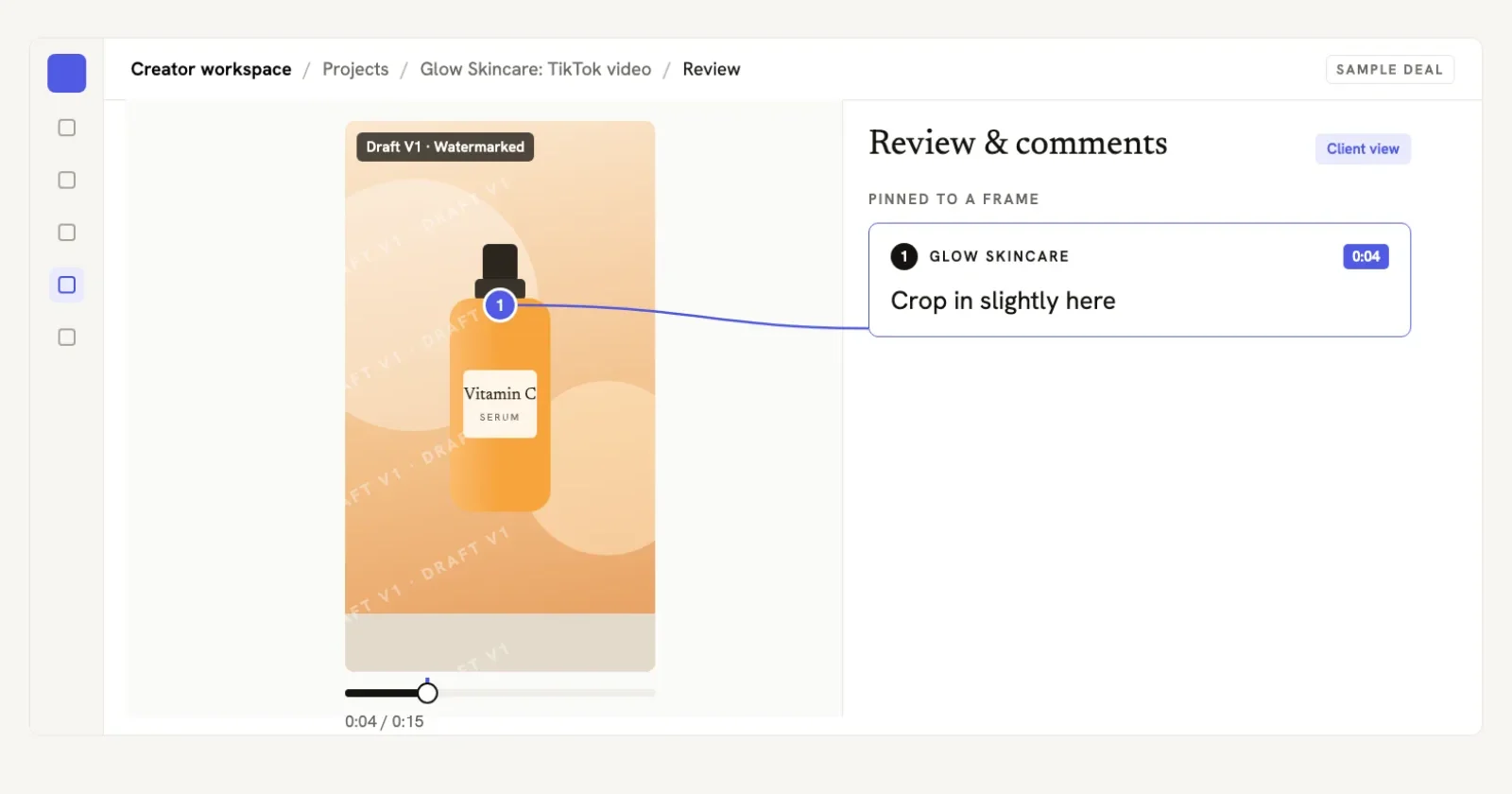
Feedback that stays attached to the deal is the part Notion does well, once the record exists.
When does a Notion tracker cost you money?
Four failures repeat across creators using notes tools, and each one is a date that nobody checked:
- The invoice with no chase date. Payment recorded as "pending" with no due date cannot be chased, because nothing signals when pending became late.
- The rights expiry nobody logs. A 90-day paid licence ends on a specific day. Miss it and the brand keeps running your video, or the renewal never gets quoted. The usage rights guide covers the pricing half.
- The revision round nobody counts. "One more quick version" is scope with no ledger behind it. This is the same fight the scope creep guide covers: extra work logged and repriced before it starts.
- The final version that is not final. Drafts live in Notion, the real file lives in your chat thread, and the brand approves something you no longer export.
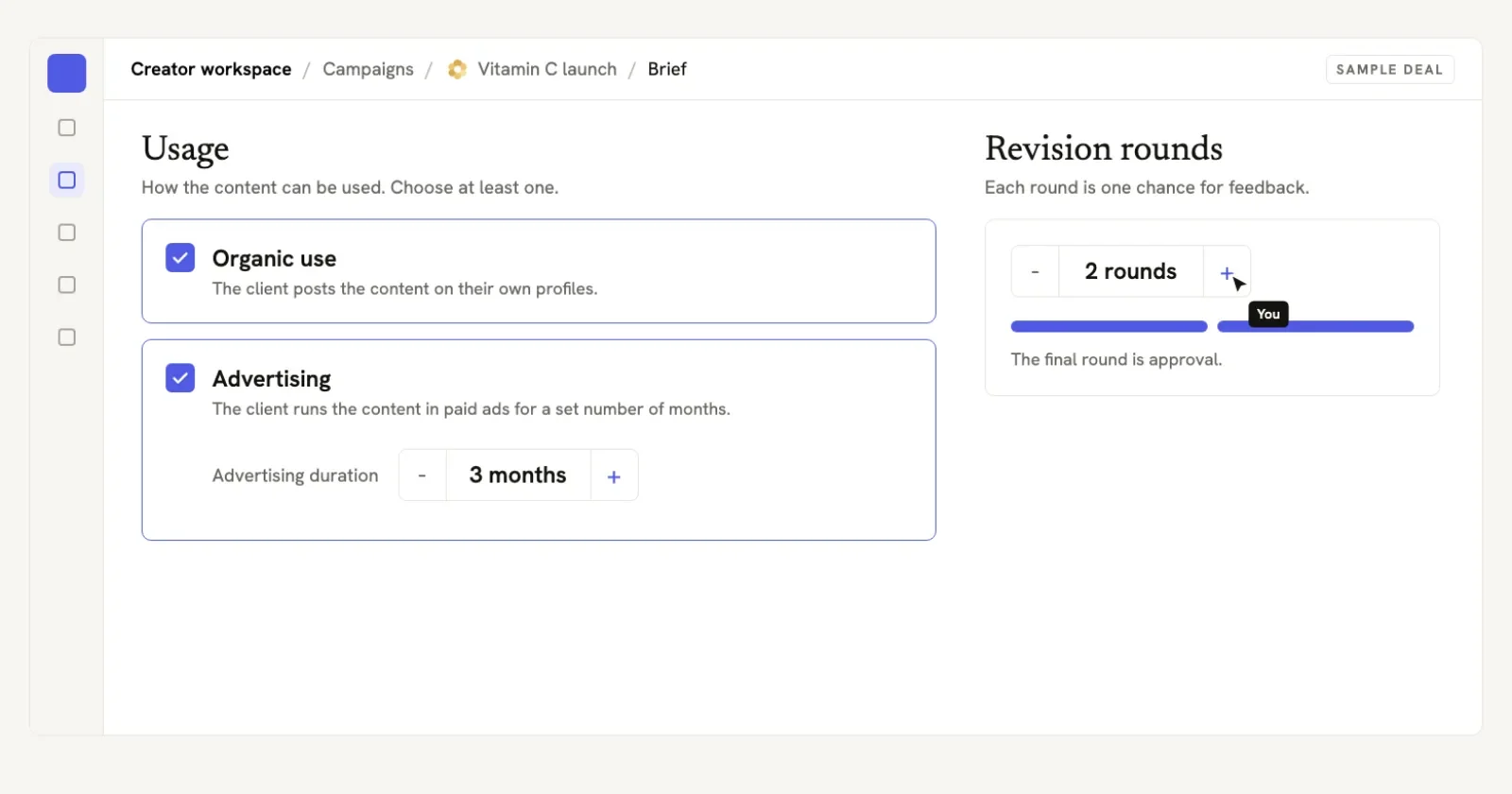
Dated fields are the whole fix: an expiry and a limit the tool can act on, not a note you reread.
Notion can store all four of these facts. It will not raise any of them on the day they matter. That is the difference this article is about: a record you maintain versus a system that maintains you.
How do you move your deals out of Notion in one afternoon?
The worry that keeps creators in Notion is that moving will cost a week. It costs an afternoon, if you move money dates first.
- Freeze the Notion setup. Duplicate the database as a read-only archive with the date in the name. Nothing edits it again.
- Open one record per active deal. Copy only the live deals, each with brand, contact, fee and the date of the yes. Paid deals stay in the archive.
- Attach the paper. Link the signed terms behind each record: deliverables, revision rounds, usage rights, payment terms. A stranger should be able to enforce the record.
- Move the money dates first. Every invoice number, issue date, due date and licence expiry transfers before anything else. A lost deliverable note stalls; a lost invoice date costs.
- Run one review cycle in parallel. One week of checking both, then close the Notion tracker for good. Two live systems longer than a fortnight become two sources of truth.
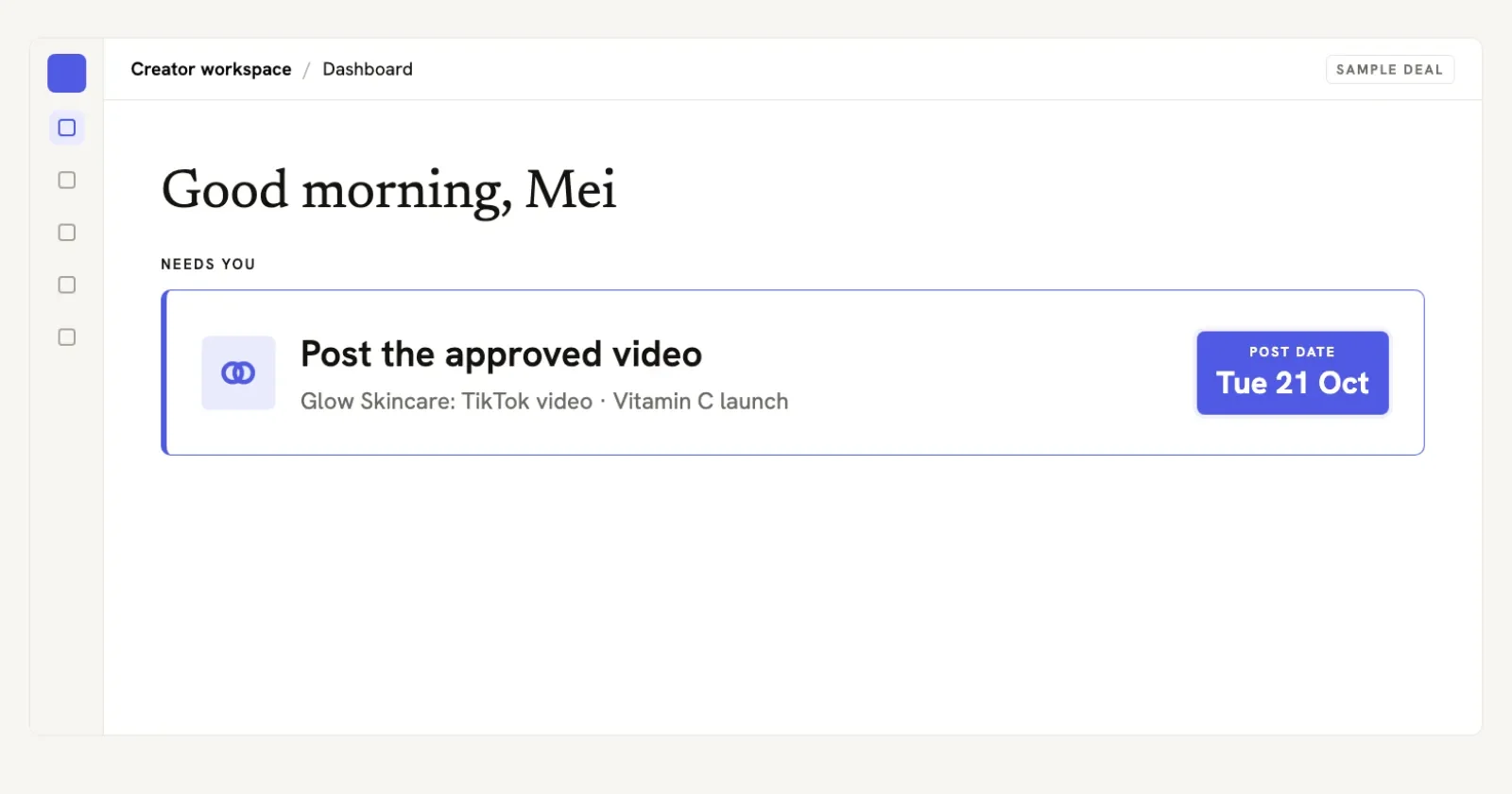
The replacement for a text field: what is waiting on you today, dated, without a manual review.

More deals. Less admin. Paid on time.
Every deal on one page, invoices out on time, reminders written for you.
First deal not invoiced in 30 days? The founders sit with you until it is.
Try it free on your next deal14-day free trial · Cancel any time · We never take a commission
Which tool should manage brand deals from here?
Honest answer, in order of deal count. Under five active deals, a spreadsheet with one row per deal wins on price and control, and staying free costs nothing. If linked planning views are the point and you never miss a weekly review, Notion remains a reasonable home; the Notion alternatives guide scores that path properly.
The Creator Workspace is for the case this article described: when invoice dates, rights expiries and revision limits must survive a skipped review. Bring the deal you already have in from wherever it arrived, and the brief, agreement, drafts, client approval and invoice sit on one record with dated payment states behind them. It also skips the blank page: drop in the brief and it drafts the deal for you, with the fee, deliverables, dates and usage already pulled out for you to check. Before the deal, the pitch tracker queues your brands and we draft each pitch for you to send yourself, with reminders on day 3 and day 10, and the template library gives you first messages, hooks and outlines (two of each free on every account). The client joins free from your link, and there is no fee on what they pay you. It is new, it is honest about that, and you can try it free on your next deal with the 14-day free trial, then a monthly plan (pricing).
What are the key takeaways?
- Notion records your deals accurately and reminds you of nothing; every money date stays your job.
- Build the tracker on six columns: status, contact, deliverables, payment terms, usage rights, follow-up dates.
- The four leaks are all dates: missing chase dates, unlogged rights expiries, uncounted revisions, unapproved final versions.
- Moving out of Notion costs an afternoon if money dates move first and you run one parallel review cycle.
- Match the tool to the deal count: a sheet under five, Notion with discipline, a workspace when dates must survive a skipped review.
Common questions
Notion is good at recording brand deals and poor at reminding you about them. Its databases hold every field you enter: status, fee, dates, rights. None of those fields chase an invoice or flag an expiring licence. Creators who review their deals every week make it work. Creators who rely on the tool to surface a missed payment date find out at the review, if they get that far.
A brand deal tracker in Notion needs six columns: deal status, brand contact, deliverables, payment terms, usage rights and follow-up dates. Add one date field you actually trust: the day the invoice is due. Everything else is decoration until those six fields are filled in for every live deal, with one row per won deal and no rows for pitches.
You track brand deal payments in Notion by recording the invoice number, the issue date and the due date as real date fields, not as notes. Notion will not remind you when the due date passes, so the weekly review has to check anything past due. The alternative is a tool that sends the payment reminder for you, starting on the due date.
The better alternative depends on deal count. Under five active deals, a spreadsheet with one row per deal is simpler and free. Above that, a workspace built for brand deals earns its keep because payment states and rights expiries are dated fields that survive a skipped review. A Notion setup stays reasonable for creators who want linked planning views and never miss a weekly review.
Moving brand deals from Notion takes about an afternoon if you move money dates first. Freeze the Notion setup as the read-only record, open one live record per active deal, attach the signed terms, transfer every invoice date and licence expiry, then run one review cycle in parallel before you archive the old setup.
More deals. Less admin. Paid on time.
Every deal on one page, invoices out on time, reminders written for you.
First deal not invoiced in 30 days? The founders sit with you until it is.
Try it free on your next deal14-day free trial · Cancel any time · We never take a commission
Read next
 How to Keep Track of Brand Deals (Without Losing Payments)A one-row-per-deal system for won brand deals: deliverables, waiting-on, payment status and usage-rights expiry, reviewed weekly so nothing slips.
 Free Brand Deal Tracker for Creators (Template + Guide)A free brand deal tracker template with the six columns that matter, plus how to run deliverables, payment terms, usage rights and follow-ups without losing money.
 Notion Alternatives for Creators: 6 Honest Picks (2026)Honest Notion alternatives for creators running won brand deals: what spreadsheets, Notion, boards and a creator workspace each handle, and which to pick.
 Creator Deliverables Tracker for Brand Deals (2026)A per deliverable tracker with draft, revision, approval, publish date and live link rows plus handoff points for won deals.